
Moloni AutoFill
Your data entry and validation assistant for Moloni. Upload a CSV, fill invoice forms in one click and see every field checked in real time.
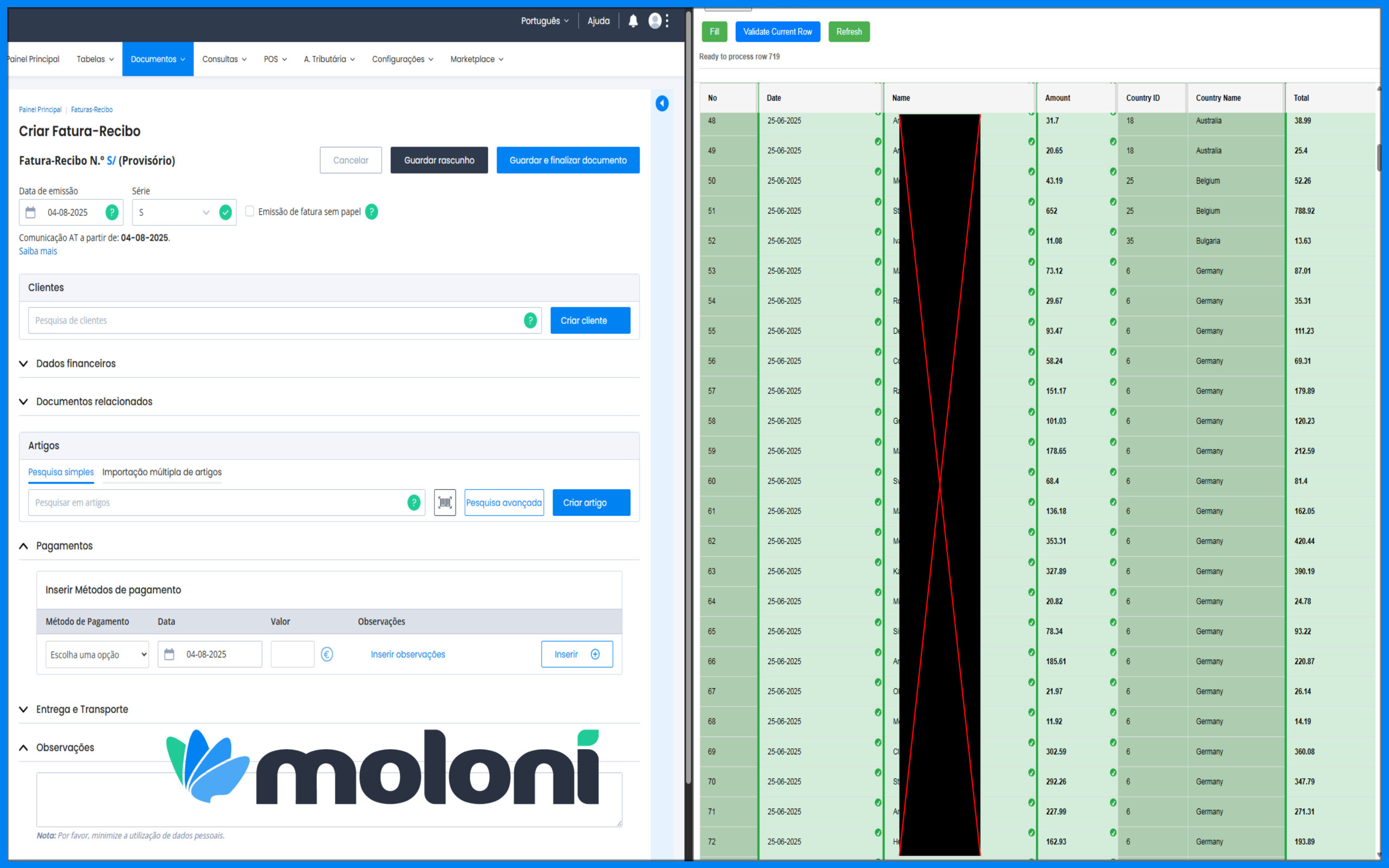
Everything you need, nothing you don’t.
Smart CSV processing
Upload a CSV and batch-process many invoices, with progress saved automatically between sessions.
Real-time validation
Dates, names, amounts and totals are checked against the Moloni form field by field, with clear ✓ / ✗ marks.
Currency-aware matching
Numbers are compared correctly whatever the currency format.
Color-coded rows
See at a glance what is processed, current, or needs special attention.
One-click filling
Fill and validate each invoice with a single click.
Local processing
Everything runs in your browser. Your data does not leave your computer.
See it in action.

Up and running in minutes.
Upload your CSV
Load the invoice data exported from your system.
Open Moloni
Go to the invoice form in your Moloni account.
Fill in one click
The extension fills the form with the current row.
Check & continue
Review the ✓ / ✗ validation, then move to the next invoice.
Who it’s for.
- Accountants and bookkeepers
- Businesses creating many invoices in Moloni
- Teams that want fewer typing mistakes
Frequently asked questions.
How do I get Moloni AutoFill?
It is available on request. Contact us and we will send you access and setup help.
Does my data go to your servers?
No. The CSV is processed locally in your browser.
Can you adapt it to our format?
Yes. We can build a custom version for your CSV format or another invoicing platform.
Ready to save time?
Install it today, or contact us if you need help or a custom version.